Find any shot across
everything you’ve ever shot.
Framea indexes your footage right where it lives and finds any moment from a plain-language description, then jumps to the exact second. Your footage stays on your own drives. Nothing tagged by hand.
See how it works ↓Free during beta · macOS 14+ and iPhone · also on web and via Claude
 01:24:07
 00:41:12
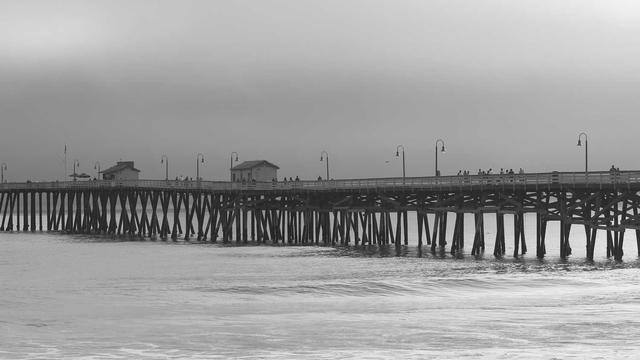 02:03:55
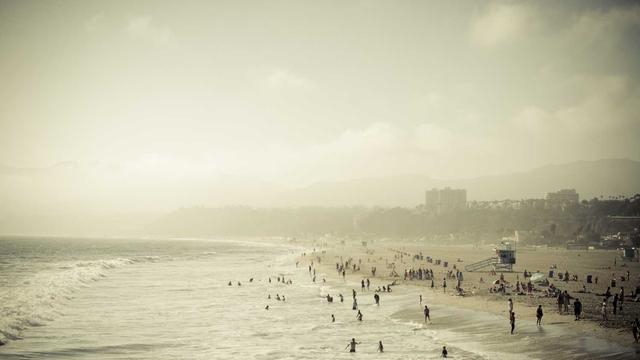 00:12:40
 01:58:11
 00:33:29
 Premiere Pro
 Final Cut Pro
 DaVinci Resolve
You’ve shot thousands of hours across dozens of drives. The clip you need is in there somewhere, you just can’t find it.
One index. Every surface.
Not an app, an ecosystem.
Index once, on your own machine. Then search that same library from your desktop, your phone, the browser, your editor, or your AI assistant.
Mac app
Index your drives and search from your desktop. No Python, no setup.
Web app
Search your studio’s shared index from any browser.
iPhone
Stand at the drive shelf and find which one holds the shot.
Claude
Search your archive conversationally from your AI assistant.
Your editor
Send selects straight into the timeline.
Semantic search
Describe it. Jump to the exact second.
Type what you remember, “drone shot of the coast at sunset”, “the interview where she mentions the merger”, and Framea takes you straight to the frame. It reads every scene, transcribes every word, and understands what’s on screen. No tagging, no scrubbing.
- Visual and spoken-word search
- Jumps to the timecode, not just the file
- Understands scenes, objects, on-screen text


Your whole archive, one search
Know which drive the shot is on.
Framea indexes each drive once, and the searchable index lives on your machine, not the drive. So you can search your entire library at any time, including drives sitting on a shelf, and Framea tells you exactly which drive holds the shot and the timecode. Grab that one drive instead of plugging in fifty to find it.
- Search your whole library, plugged in or shelved
- Get the exact drive name and timecode
- Then grab that one drive, not the whole shelf
Fits your workflow
Drop the shot straight into your timeline.
Framea speaks every major editor. Find the moment, send it to Premiere, Final Cut, Resolve, or Avid as a ready-to-cut selects file, with the AI keywords and descriptions attached, searchable inside your project.
- Premiere · Final Cut · Resolve · Avid
- Exports FCPXML, ALE, CSV
- Native Resolve metadata and markers
Premiere ProFinal Cut ProDaVinci ResolveLocal or cloud, your call
Your footage stays where it is.
Pick offline mode and everything runs on-device with open models, no internet, nothing leaves your Mac, right for NDA work. Or use cloud AI, which sends small keyframes for the sharpest descriptions while your actual files stay on your drives. Either way, you’re never renting space to hold your own bytes.
- Fully offline mode for NDA work
- Cloud mode sends frames only, never your files
- Zero storage bills, we never host your footage

Offline mode: nothing leaves your Mac.
On-device models · zero upload · works with Wi-Fi off.
For studios
One searchable library across the whole team.
Every editor indexes their own drives; Framea merges them into a single shared index the studio searches together, without moving footage into an expensive cloud MAM. See every drive the company owns and who has it plugged in.
- Shared index, no cloud MAM
- Per-drive online / offline status
- The $10k/yr tool without the $10k
Agent-ready
Ask your AI to find the shot.
Framea plugs into Claude over MCP, so you can search your entire archive conversationally, “find three sunset b-roll options on the drives I have here”, right from your assistant.
- Works with Claude
- Search and export from chat
- Your archive, one prompt away
How Framea compares
The free tools search your open project. Framea searches everything you own.
| Framea | Premiere AI | iconik | Jumper | |
|---|---|---|---|---|
| Search unplugged archive drives | ✓ | ✕ | partial | ✕ |
| Real semantic (AI) search | ✓ | ✓ | partial | ✓ |
| Footage stays on your drives | ✓ | ✓ | ✕ | ✓ |
| Works across every editor | ✓ | ✕ | ✓ | ✓ |
| Shared team index, no cloud MAM | ✓ | ✕ | ✕ | ✓ |
| Ask your AI assistant (MCP) | ✓ | ✕ | ✕ | ✓ |
Three steps. No terminal.
Point it at a drive
Drag any folder, disk, or NAS into Framea. It indexes in place, your footage never moves.
Let it understand
Framea reads every scene and transcribes every word, on-device or with cloud AI. Zero tagging.
Search and cut
Describe the shot, jump to the second, send it straight to your editor.
Questions
What is Framea?+
Framea is an AI search app for your videos and photos. It indexes every photo and video you upload, or connect from a cloud source, so you can find the exact moment by describing it in plain language, instead of scrubbing through footage or digging through folders.
Can I connect my existing footage instead of uploading it?+
Yes. Connect Google Drive, Dropbox, Google Photos, or Zoom and Framea imports and indexes your existing media. Connected Google Drive and Dropbox accounts also stay synced automatically, so new files become searchable on their own, with no re-uploading.
Do I have to organize, tag, or name my media?+
No. Framea organizes your library for you. As media comes in, it groups everything into smart collections by date and theme, so a timeline and albums build themselves. You never make a folder, write a tag, or rename a file, you just search.
How does AI video and photo search work in Framea?+
When you upload a photo or video, Framea transcribes the audio, understands the scene, and indexes every moment. You can then search your entire library in natural language and get results ranked by confidence, with the exact timestamp for videos or the exact photo for images.
Can Framea find a specific moment inside a long video?+
Yes. Describe what you're looking for, like “the part where I opened the package” or “when I mentioned the discount code,” and Framea jumps straight to the exact second it happens, so you never scrub a timeline again.
What kinds of media can I upload?+
Photos, videos, and screen recordings from your camera roll or files. Framea indexes every type of media automatically, so it is searchable as soon as the upload finishes.
What devices does Framea support?+
Framea runs on the web in any modern browser and on iPhone (iOS 17 or later). Your account and library stay in sync across both, and you can also search it from AI assistants like Claude. It is free to use during beta.
Does Framea have a web app, API, or MCP server?+
Yes. Besides the iPhone app, Framea runs in your browser at app.framea.cloud. There is also a public API and an MCP server, so you can search your library from your own scripts or from AI assistants like Claude. See the developer docs at framea.cloud/docs/mcp.
Is my media used to train AI models?+
No. Your media is never shared, never sold, and never used to train AI models. Uploads are processed automatically by AI to make them searchable, and no human reviews your content. You stay in full control of your library at all times.
How much does Framea cost?+
Framea is free during beta. No credit card required.
Stop scrubbing. Start searching.
Free during beta. No account needed to start.
macOS 14+ and iPhone · web companion · Claude via MCP